
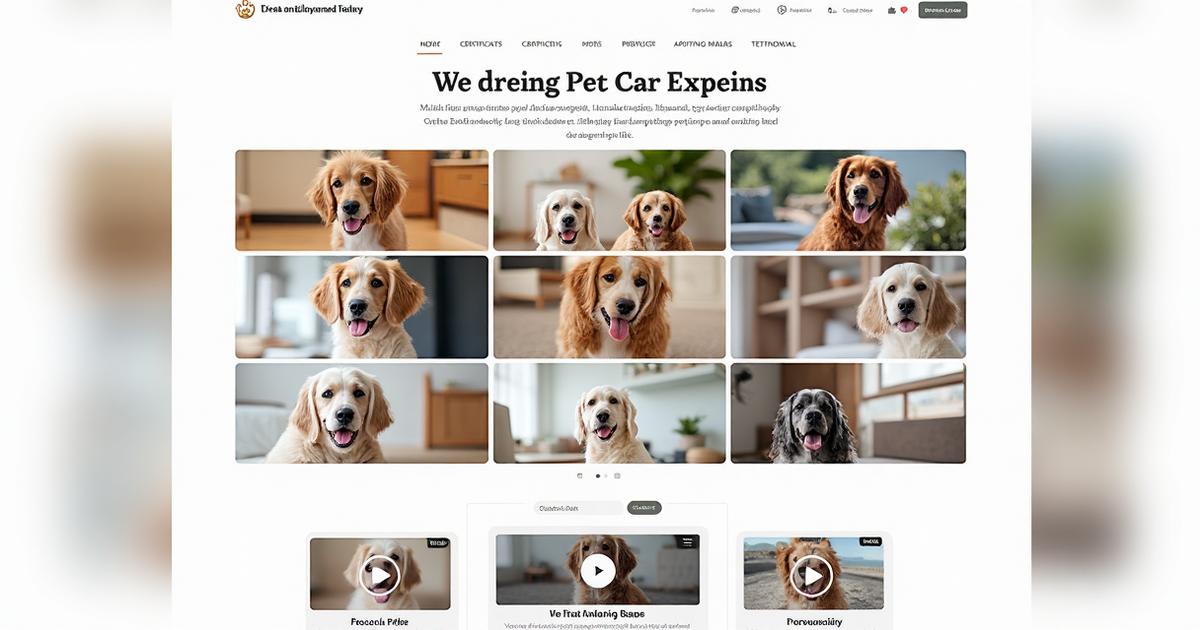
Gallery Pages That Sell: Before/After, Reels & Trust Badges
People don’t book because your photos are pretty. They book because your photos reduce risk. Use before/after storytelling, short reels, and trust badges to show gentle handling, outcomes, and consistency.
Build Your Gallery Like a Case Study
Your website gallery shouldn’t be a random dump of cute pet photos.
Treat it like a mini case study wall that quietly answers:
- “What exactly do you do?”
- “How do you work?”
- “Can I trust you with my pet?”
A simple way to do this is to structure your gallery into three story-led sections: Before/After, Process Reels, and an Outcomes Grid.
Section 1 — Before/After
Use before/after sets to show clear transformation and calm handling, not just “pretty end results.”
Before: tangled coat / anxious pet (owner consent)
- Show a realistic starting point: matted coat, overgrown nails, nervous body language.
- Take the photo in a clean, uncluttered space (same angle you’ll use for the “after” shot).
- Make sure you have explicit consent to show both the pet and the condition of their coat.
- Avoid shaming owners; your copy should feel kind and supportive, never judgemental.
After: calm pet, clean finish, happy owner quote
- Same pet, same angle, same background where possible — so the improvement is obvious.
- Focus on calm expression and soft body language as much as the tidy coat.
- If the owner is happy to be quoted, add a short, human testimonial beneath the photos.
- You can place these in a “slider” or side-by-side grid on your gallery page.
Example caption block:
Caption: 45-min calm groom · No muzzling · Plenty of reassurance breaks
Owner quote: “We were so nervous about bringing him in, but he came home relaxed and wagging.”
You’re not just showing aesthetics; you’re demonstrating process, time, approach and outcome in one glance.
Section 2 — Process Reels (10–20 seconds)
Short vertical clips are perfect for showing how you work without overwhelming viewers. These can live on:
- Your website gallery
- A “How We Work” section
- Social feeds embedded into the page
Ideal reel ideas (10–20 seconds each):
-
“What a 30-minute visit looks like”
- Arrival, quick hello, safety check (gates/doors), main activity, end-of-visit cuddle.
- Use simple on-screen text to label each step: “Check doors · Enrichment time · Update sent”.
-
“Fear-free nail trim, start to finish”
- Show you introducing the tools, offering treats, clipping slowly, and rewarding calm behaviour.
- Include a caption that mentions breaks, rewards, and options if the pet is too stressed.
-
“First day with a nervous rescue”
- Moments of letting the dog sniff the space, low-pressure interaction, no forced handling.
- Show that it’s okay if “not much happens” on day one — that patience is part of your service.
Each reel can be embedded with a short written summary underneath, emphasising:
- Session length
- How you keep pets calm
- How you update owners
Section 3 — Outcomes Grid
After you’ve shown before and process, close the story loop with a simple grid of outcomes.
This can be a 2×2 or 3×3 grid of images or icon + text blocks.
Possible “Outcome” tiles:
-
Shinier coat
- Photo of a well-groomed dog in natural light.
- Text: “Healthy, brushed-out coat that’s easier for owners to maintain between visits.”
-
Happy, tired dog
- Dog snoozing on a bed after a walk/daycare session.
- Text: “Calm, content and ready to relax at home after a full day of structured fun.”
-
Medication given correctly
- Discreet image: pill organiser, measured syringe, or a labelled note (no private medical info).
- Text: “Time-sensitive meds given as instructed and logged for the owner.”
-
Clean workspace
- Grooming area or home-visit setup reset and spotless after a session.
- Text: “Workspaces cleaned between pets to keep fur, dirt and germs under control.”
This grid reassures pet parents that your work leads to practical, visible results that matter to them.
Captions That Answer Sales Questions
Most pet owners won’t tell you this directly, but when they look at your gallery, they’re silently asking:
- How long did it take?
- What tools/products did you use?
- How did you keep them calm?
- What did the owner say afterwards?
If your captions answer those questions, your gallery becomes a sales page in disguise.
Instead of generic lines like:
“Another happy client! 🐶✂️”
Try something more concrete and reassuring:
- “45-minute groom for a nervous spaniel — scissors only on the ears, three short breaks, and owner updated mid-session.”
- “30-minute solo walk for a reactive dog in NN1 — quiet route, on-lead the whole time, and we practised calm passing at a distance.”
- “Home visit for senior cat (NN3) — litter cleaned, meds given with food, and we stayed until she settled on the sofa.”
Plug-and-Play Caption Template
Template:
15-min visit for Luna (NN2). Litter cleaned, meds given, 3 photo updates.
Owner: “Came home to a relaxed cat — thank you!”
Swap in:
- Duration (15-min, 30-min, 60-min)
- Location tag (postcode or area)
- Key actions (groom steps, walk route, enrichment, meds)
- Outcome (relaxed, tired, cleaner coat, calm at home)
- Owner quote (short, natural, permission given)
The more your captions answer real buying questions, the less work your contact page has to do.
Trust & Safety in the Gallery
Your gallery is a perfect place to layer in trust badges and safety notes without feeling formal or “corporate.”
Consider adding a small inline strip or icon row near your gallery:
- ✅ Fully insured
- ✅ DBS checked (if applicable)
- ✅ Pet first aid trained
- ✅ Fear Free / low-stress handling approach
Under your gallery intro or in a small note at the bottom, include:
-
A consent line, e.g.:
“All pets shown with owner permission. We’re happy to remove any image if you change your mind.”
-
A quick hygiene statement, e.g.:
“Tools cleaned and workspaces disinfected between pets to keep everyone safe.”
These small lines reduce friction for cautious owners who worry about privacy, welfare and professionalism.
Technical Tips
Strong visuals + weak technical setup can slow your site down and hurt SEO. You don’t need to do anything fancy, but a few simple habits go a long way.
1. Compress Images & Use WebP Where Possible
- Export gallery images at web-friendly sizes rather than full camera resolution.
- Use modern formats like WebP where your builder supports it.
- Aim for a balance: clear enough to look professional, light enough to load fast on mobile data.
2. Descriptive Alt Text (Pet Name, Service, Area)
Alt text helps:
- Screen reader users
- Search engines
- “Image search” context
Examples:
alt="Cockapoo after full groom in Northampton salon"alt="Dog walker using double-clip harness on lead in Abington Park"alt="Senior cat receiving medication during home visit in NN2"
Think: who, what, where in one short line.
3. Group Reels by Theme
If you’re embedding short videos on your gallery page:
- Group them under subheadings like:
- “Fear-Free Grooming in Action”
- “What Our Walks Look Like”
- “Daycare Routines & Enrichment”
This stops the gallery feeling like a random scroll and makes it easy for visitors to jump to the content that matters most to them.
UGC Section (Client-Submitted Photos)
User-generated content (UGC) can be incredibly powerful because it shows your work from the owner’s perspective.
How to invite it:
-
After a successful groom/walk/sit, send a follow-up message:
“If you ever snap a photo of [Pet Name] looking extra cute after a visit, we’d love to feature it on our gallery or socials (with your permission). Just send it over and let us know if we can use it.”
-
Create a short note on your site:
“Clients’ photos shared with permission – we’re always happy to add your favourite snaps.”
Make sure you:
- Store consent with the photo
- Never pressure people to share
- Are clear about where the photo might appear (website, GBP, social media)
Add a Referral CTA
Tie UGC to referrals by adding a friendly line near your UGC section:
“If you love how your pet looks or settles with us, share a photo and tag us – and if a friend books after your recommendation, ask about our small thank-you perks.”
You can formalise this as a simple referral scheme later if you like.
Primary CTA: Download the Gallery Shot-List + Caption Prompts
If you’d like a ready-to-use version of all these ideas, plus space to map your own shots and captions, grab the checklist:
👉 Download the Gallery Shot-List + Caption Prompts
Use it as:
- A planning sheet before photo days
- A reminder of which outcomes and questions you still need to show
- A quick reference when you’re batch-writing captions for GBP, your website, and social posts
Get Personalized Help
Ready to implement these strategies? Book a free consultation to discuss your specific needs, or explore our complete pet-care web design services for comprehensive solutions.
Frequently Asked Questions
What photos convert best for groomers and sitters?
Before/after sequences, calm-handling moments, and what-the-visit-looks-like reels.
How many images per gallery section?
Six to nine per section keeps load times fast and avoids fatigue.
Do I need owner consent to post photos?
Yes—add a consent checkbox in your intake form and show a short consent line on the gallery page.