Service-Area Pages Done Right: Towns, Proof & Unique Offers (No Doorways!)
You need visibility across multiple towns—but "copy-paste" pages get ignored. Use this structure to publish lean, unique town pages with proof, routes, reviews and a simple call-to-action that converts.
Why Town Pages Still Work (When Done Properly)
Local landing pages—often called “town pages” or “service area pages”—still work extremely well when they are written for real humans, not for search engines. The goal is simple: help local pet owners quickly confirm that you actually serve their area and understand their day-to-day routines.
Here’s why they remain powerful:
- Relevance: Each town has its own concerns—parking rules, popular parks, commuting hours, busy school-run roads, estate layouts, and weekend hotspots. When your page reflects these specifics, it becomes instantly more trustworthy than a generic homepage.
- Proof: When you show local walking routes, client reviews that mention the area, and photos taken in recognisable spots, Google and pet parents both understand you genuinely work there.
- Conversion: A dedicated town page usually outperforms a homepage for local visitors because it offers one clear next step (“Check availability for {Town}”), instead of overwhelming them with everything you offer everywhere.
Done well, a town page becomes a mini home base for local clients to understand:
“Yes, they cover my area. Yes, they know my routines. Yes, I can book them.”
The Town Page Template (Copy, Adapt, Personalise)
Use this as a base structure for every town you target, but personalise each version with real details, real routes, and real proof.
H1 (Main Heading)
Pet Sitting & Dog Walking in {Town}, {County}
Keep this consistent across your town pages. It’s plain, clear, and instantly tells users and Google what the page is about.
Intro (60–90 words)
Your intro should briefly answer:
- What you offer
- Who it’s for
- Where exactly in the town you cover (estates, neighbourhoods, key landmarks)
- When you're available (evenings, weekends, early mornings)
Example (swap town/area):
Providing dog walking, pet sitting, and puppy visits across {Town} and nearby estates including {Estate A}, {Estate B}, and {Estate C}. We support busy owners with weekday, weekend, and evening availability—perfect for commuters, shift workers, or families with full schedules. Whether you need solo walks, enrichment visits, or daily check-ins, we offer safe, reliable care right here in {Town}.
Section 1 — How We Serve {Town}
This is your “local expertise” section.
Include 3–5 concise bullets, such as:
- Common walking routes or loops (e.g., “Grange Park → The Meadows → quiet back paths”)
- Typical visit windows (AM drop-ins, lunchtime walks, evening availability)
- Popular green spaces or parks used
- Estates you regularly serve
- Notable conditions (busy roads you avoid, safe footpaths used, shaded areas for summer walks)
Add one mini-map image or a route list such as:
“Our usual {Town} walking loop: Kingsthorpe → Abington Park → quieter back streets for calm walking.”
This immediately feels authentic.
Section 2 — Prices & Popular Options
Present three simple tiles—no overload, no 15 different services.
Examples:
- 30-Minute Walk — from £X
- Solo or duo
- Calm routes, GPS-tracked
- Puppy Visits — from £X
- Toilet break, play, reinforcement, photo updates
- Drop-In Sitting — from £X
- Feeding, meds, litter, cuddles
Under the tiles, add:
(Or link to your own pricing page.)
Section 3 — Local Proof
This is where town pages become powerful.
Include:
-
Two geo-specific reviews (use initials)
Example:“Reliable, friendly, and great with our spaniel. The evening walks around Abington are perfect.” — J.D., Northampton
-
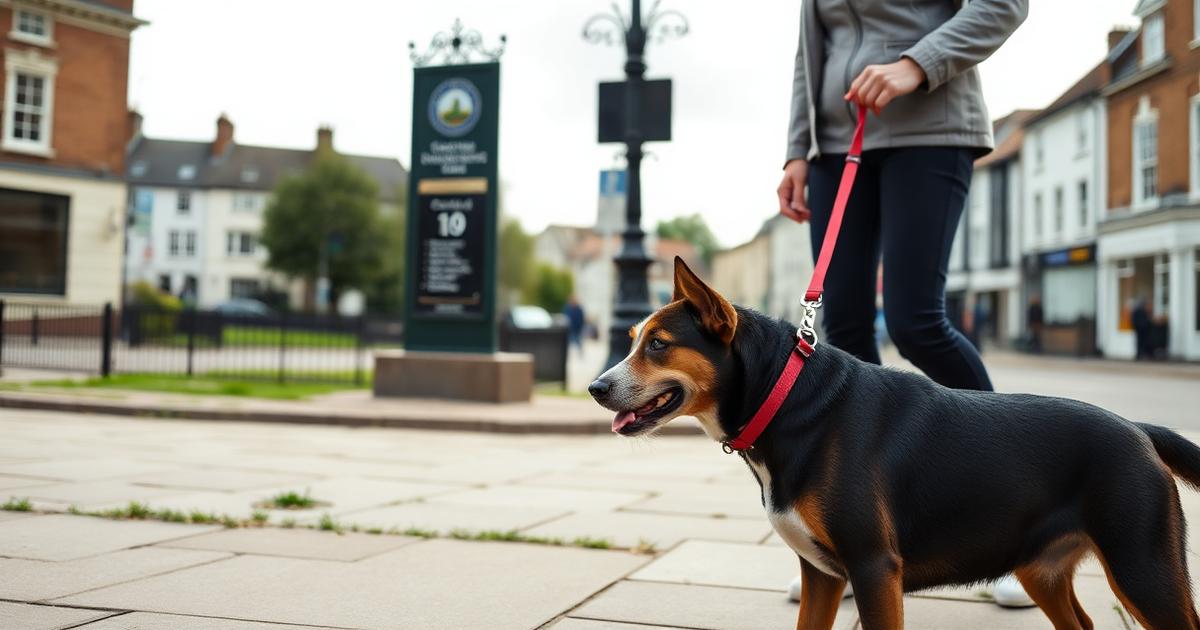
One local photo
Ideally with a recognisable landmark subtly visible—park sign, lake, memorial, church spire, etc. -
A mini “Seen around:” list
- {Local Vet Name}
- {Local Groomer Name}
- {Park / Nature Trail}
These small anchors make the page feel rooted in the real world.
Section 4 — FAQs for {Town}
Your FAQs should be town-specific, not generic.
Suggested items:
-
Where do you park?
“We usually park on {Street/Block}, avoiding driveways and restricted bays.” -
Peak-time availability?
“Evening walks between 5–7pm fill fastest—book early if you need commuter-friendly slots.” -
Do you cover {Neighbourhood}?
Only list areas you truly serve. Honesty builds more trust than pretending. -
Key handling procedure
“Keys are stored securely and labelled only with a code, never your address.”
Adjust these according to the town’s layout, challenges, and resident concerns.
Section 5 — Simple CTA (Your Conversion Goal)
End with one strong action, not five competing ones.
Great options:
- “Check your dates” → Link to a booking form or availability checker
- Calendly embed → Instant consultations
- WhatsApp click-to-chat → Perfect for mobile users
Example:
Example Microcopy
Use short, specific lines throughout your town page to make it feel local and real:
- “Evening walks around Abington Park fill fast—book early for 5–7pm slots.”
- “Shy dogs prefer our quiet loop via the church footpath—fewer distractions, safer pacing.”
- “We avoid cut-throughs near the school during drop-off times.”
These details show you understand the rhythm of the town.
Content You Should Not Reuse
Avoid everything that makes town pages feel like SEO spam:
-
Don’t copy the same 300 words onto 10 different towns.
Google recognises this instantly. -
Don’t list towns you don’t actually serve.
You’ll get irrelevant enquiries and damage trust. -
Don’t stuff place names unnaturally.
(“As a dog walker in Northampton Wellingborough Kettering…”)
— this reads terribly and won’t rank well.
How to Produce Town-Unique Proof Quickly
To personalise each town page without spending hours, just gather these four pieces of evidence:
- One real walking route you genuinely use there
- One local photo taken by you (not stock)
- One review that mentions the town, estate, or area
- One tweak to the FAQs (parking, peak times, access)
These alone make your town page unique, trustworthy, and rankable.
Internal Linking (Helps Google + Users)
Smart linking improves user flow and strengthens local SEO:
- Link from the homepage to your main Service Areas hub
- Cross-link neighbouring towns (e.g., Northampton ↔ Wellingborough ↔ Kettering)
- Link each town page to a relevant case study or blog post
- Add breadcrumb navigation:
Home → Service Areas → {Town}
This helps search engines understand your site structure while giving visitors a smooth browsing path.
Primary CTAs (Clickable)
👉 Check Your Availability
👉 Message Us on WhatsApp
👉 View Full Pricing
Get Personalized Help
Ready to implement these strategies? Book a free consultation to discuss your specific needs, or explore our complete pet-care web design services for comprehensive solutions.
Frequently Asked Questions
How many town pages should I create?
Start with 3–5 towns where you already have clients. Publish quality over quantity and add more over time.
What if I can't get town-specific reviews yet?
Use reviews that mention nearby areas or common routes, then ask new clients to mention their town naturally in future reviews.
Will duplicate content hurt me?
Copy-paste pages won't rank well. Make each page unique with routes, photos, reviews and FAQs tied to the town.